Pentest Program Planner
The Pentest Program Planner answers one question: which of my applications need a pentest, how often, and what does it cost? It is free, needs no account, and partners and consultants may use it with their own clients.
Open it at asm.squr.ai/plan.
Build a plan
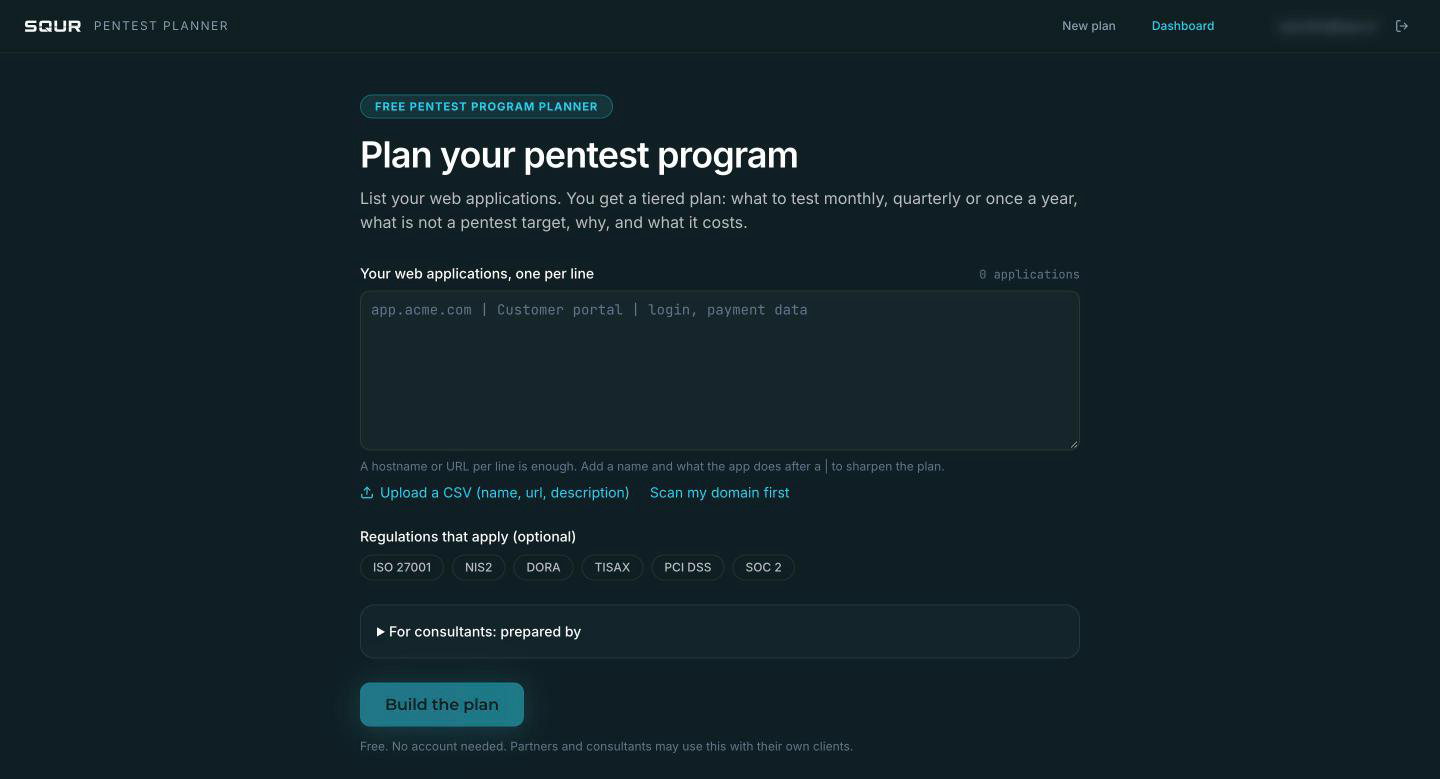
- List your web applications, one per line. A hostname or URL is enough. Add a name and what the application does after a
|to sharpen the plan, for exampleapp.acme.com | Customer portal | login, payment data. - Or upload a CSV with the columns name, url, description.
- Or choose Scan my domain first: the planner fills the list from an attack surface scan, keeping your own hosts and leaving out third-party infrastructure.
- Optionally select the regulations that apply: ISO 27001, NIS2, DORA, TISAX, PCI DSS, SOC 2.
- Consultants can fill prepared by so the plan carries their name.
- Click Build the plan.
A plan holds up to 100 applications.
The four tiers
| Tier | Cadence | Meaning |
|---|---|---|
| A | Monthly | High-risk, fast-changing applications. Also after every significant change, plus one independent human pentest a year. |
| B | Quarterly | Also after every significant change. |
| C | Once a year | Internal applications are tested on a reachable staging copy. |
| D | Not a pentest target | No login and no data: monitor only. Vendor-run SaaS: ask the vendor for its pentest report. |
How tiers are decided
The tier comes from facts about each application, scored by a published rubric, not by free text. The facts are whether it has a login, handles payment or health data, handles personal data, serves several customers from one installation, and how often it changes. The planner generates the written reason for each row and marks where it assumed a fact.
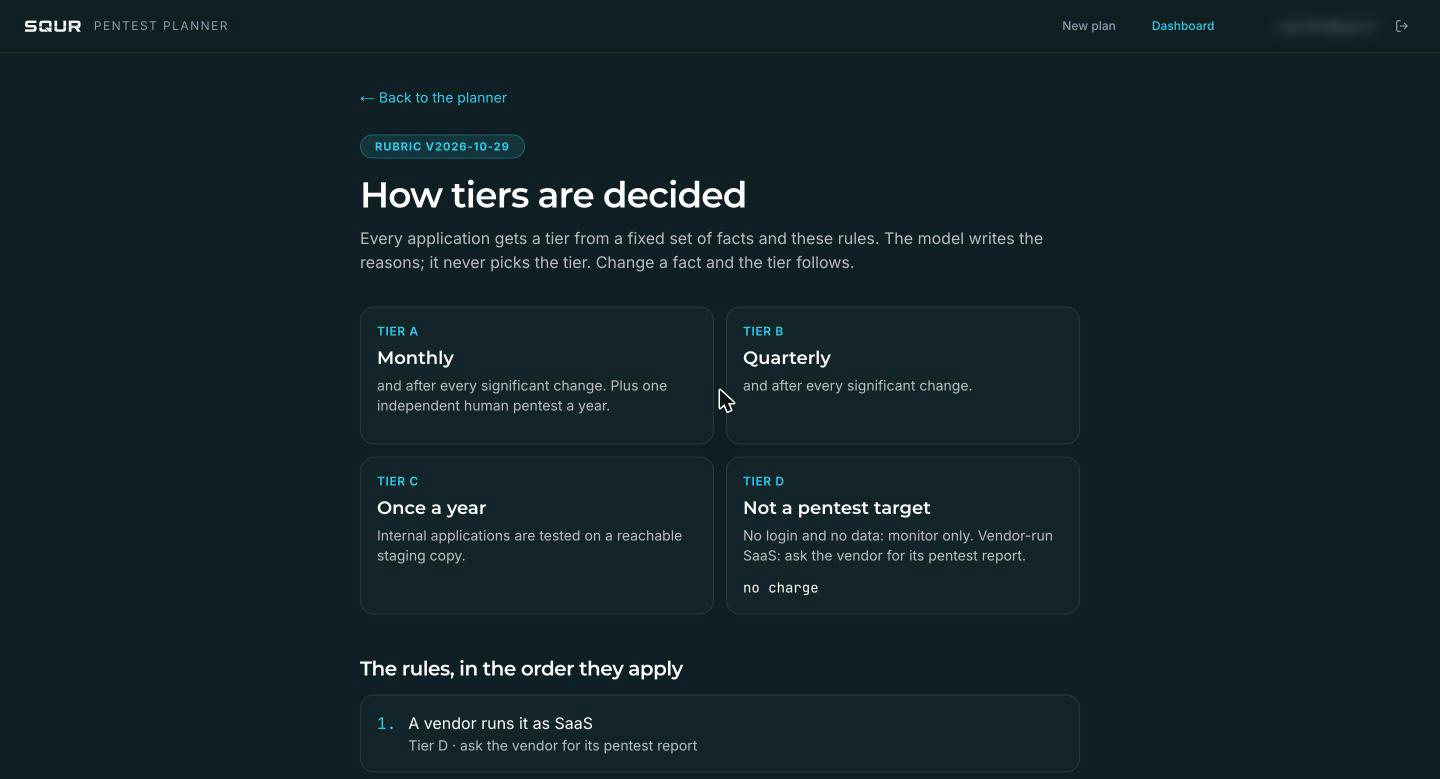
You can see the full rules at How tiers are decided (/plan/rubric): the order rules apply, the points per fact, a worked example and what each regulation adds. A regulation never lowers a tier. It can raise a floor, fix a human-test point, or only add a citation.
Correct the plan
- Answer the questions the plan asks for assumed facts. The tier follows your answer.
- Change a tier with the selector on a row, if you know better. The plan re-runs with that fact set.
- Rows over the limit are listed as not included.
The numbers
The plan shows how many applications fall in each tier, and a yearly budget at SQUR list prices (see squr.ai/pricing: a one-time pentest, or Professional per app per month). The independent human pentest is quoted separately.
Share and act on it
| Action | What it does |
|---|---|
| Plan as PDF | Prints the plan for a budget or audit file. |
| Share link | A link to the plan. An unclaimed plan expires after 30 days. |
| Set up Tier A in SQUR | Signs you in, claims the plan for your organization, creates the Tier A to C applications in SQUR and takes you there. |
If a row has no hostname, SQUR cannot create the app. It tells you which rows were skipped before it takes you on. A claimed plan does not expire and belongs to your organization.
Where the plan lives afterward
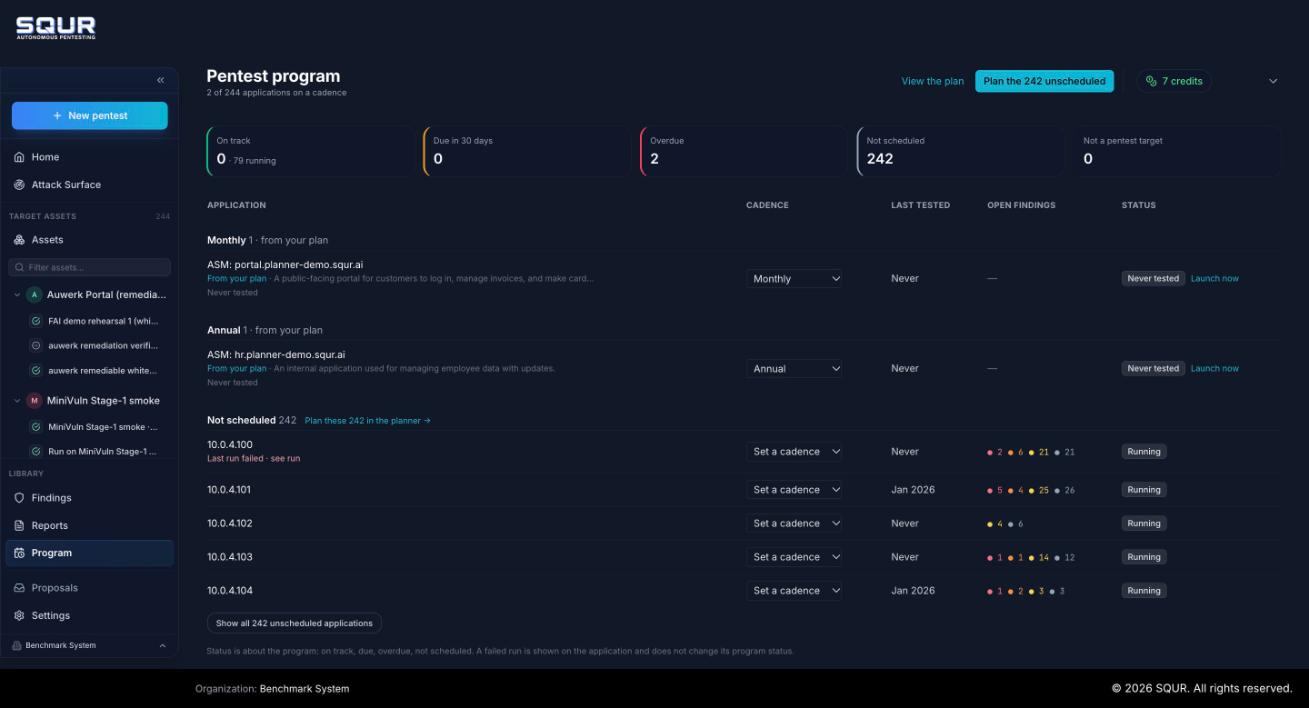
In the SQUR app, Program (under Library) shows each application with its cadence and status: On track, Due soon, Overdue, Never tested, Not scheduled, Running. It can launch a due or overdue pentest and set the cadence. A parent organization sees its managed organizations rolled up.